
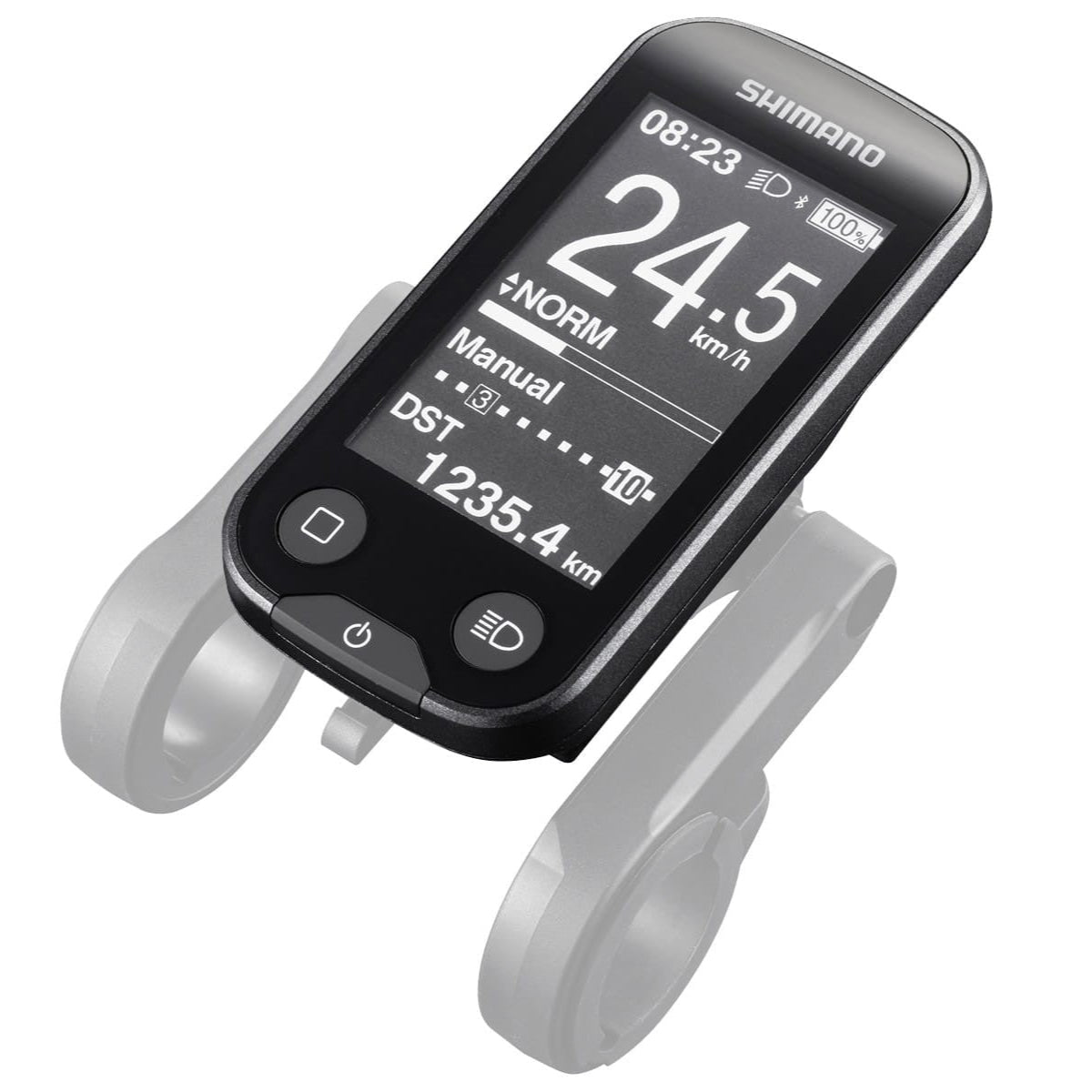

Shimano SC-E6100 E-bike Screen / Display Bluetooth
Couldn't load pickup availability
Pickup currently unavailable at Electric Bike Rotorua store
Pairs well with
Product details
Product Information
SHIMANO STEPS E6100 - Cycle Computer - E-TUBE - D-FLY Wireless System - E-BIKE
With expanded communication via wireless connectivity, the SHIMANO STEPS E6100 Wireless Cycle Computer features a large, easy to see display and wireless communication with 3rd party applications.
- Assist mode
- HIGH, NORM, ECO, OFF, WALK
- Expanded communication by wireless connectivity
- Large, easily viewable display
- Wireless communication to 3rd party displays and smartphone applications
- E-TUBE PROJECT total support for cycling lifestyles
- D-FLY
PRODUCT SPECIFICATIONS
| MODEL NO | SC-E6100 |
|---|---|
| SERIES | SHIMANO STEPS E6100 Series |
| Color | Standard |
| Average weight | 110 |
| Remarks | * In case of SEIS ** Option by E-TUBE PROJECT |
|---|---|
| Mount position_Center on handlebar | ✔ |
| Back Light | ✔ |
| Beep | ✔ |
| Inside battery | ✔ |
| System on/off button | ✔ |
| Light on/off button | ✔ |
| Contents of Display_Clock | ✔ |
| Contents of Display_Assist mode display | ✔ |
| Contents of Display_Battery charge level | ✔ |
| Contents of Display_Current Speed | ✔ |
| Contents of Display_Gear Position Display | ✔ |
| Contents of Display_Start mode | ✔ |
| Contents of Display_Automatic shift mode | ✔ |
| Contents of Display_Maximum speed | ** X |
| Contents of Display_Average speed (AVG) | ** X |
| Contents of Display_Trip distance | ✔ |
| Contents of Display_Trip time | ** X |
| Contents of Display_Odometer | ✔ |
| Contents of Display_Estimated range | ✔ |
| Contents of Display_Range overview | ✔ |
| Contents of Display_Assist power indicator | ✔ |
| Contents of Display_Error Message | ✔ |
| Setting menu_Trip Distance reset | ✔ |
| Setting menu_Unit (km/mile) | ✔ |
| Setting menu_Clock adjustment | ✔ |
| Setting menu_Back light on/off | ✔ |
| Setting menu_Beep on/off | ✔ |
| Setting menu_Setting clear | ✔ |
| Assist mode change (w/o switch unit) | ✔ |
| Display detachable | ✔ |
| Contents of Display_Cadence (rpm) | ** X |
| Display Change Button | ✔ |
| E-tube connector (pcs) | 0 |
| E-tube port (pcs) | 3 |
| LCD size (inch) | 2.7 |
| Language_Dutch | ✔ |
| Language_English | ✔ |
| Language_French | ✔ |
| Language_German | ✔ |
| Language_Italian | ✔ |
| Language_Spanish | ✔ |
| Setting menu_Adjusting for auto shift timing | * X |
| Setting menu_Adjusting for shift | * X |
| Setting menu_Back light brightness | ✔ |
| Setting menu_Bluetooth®LE pairing | ✔ |
| Setting menu_Font color | ✔ |
| Setting menu_RD Protection Reset | * X |
| Setting menu_Start mode | ✔ |
| Firmware update by E-TUBE PROJECT | ✔ |
| Contents of Display_Assist on/off | ✔ |
| Contents of Display_Bluetooth®LE connection status | ✔ |
| Contents of Display_Light condition | ✔ |
| Contents of Display_Maintenance alert | ✔ |
| Contents of Display_Shifting advice | ✔ |
| Contents of Display_Walk mode display | ✔ |
| Setting menu_Shifting advise | ✔ |
| Wireless system | ANT private Bluetooth®LE |
| SD300 connector (pcs) | 0 |
| SD300 port (pcs) | 0 |
| SD50 connector (pcs) | 0 |
| SD50 port (pcs) | 3 |
| Setting menu_Assist profile select | ✔ |
If you have any questions about this product, you are always welcome to contact us. We'll get back to you as soon as possible.
-
Contact Us
Contact us at +64 (0) 7460 0844 daily between the hours of 9 am and 5 pm, or via email at info@electricbikerotorua.com.
-
Opening Hours
We are open daily from 9 am to 5 pm.
-
Shipping Information
We offer Free Shipping within Rotorua and nationwide on all orders over $99, except for large items. Orders under $99 are charged a flat rate of $10 (North Island) and $15 (South Island), a surcharge for rural applies
-
Information
Share contact information, store details, and brand content with your customers.